

Drives record themselves
Get in and go. MileAnchor detects your trips in the background using motion, GPS, and even your car's Bluetooth or CarPlay, then draws the real route you drove. You never press a button.
Tax-ready, audit-strength
Miles are valued at the official IRS rate in effect on the day of each drive, mid-year rate changes included. Odometer check-ins anchor the log to your dashboard, the proof an auditor asks for.

Reimbursement, handled
Track your employer's per-mile rate, including every change with its effective date, and export the exact statement they pay against. Deductions and reimbursements never get mixed.

Private by design
No accounts. No servers. No analytics. Your trips live on your phone and back up to your own iCloud. We couldn't see your data if we tried.
Getting started takes about a minute
Three screens, then you can put your phone away.
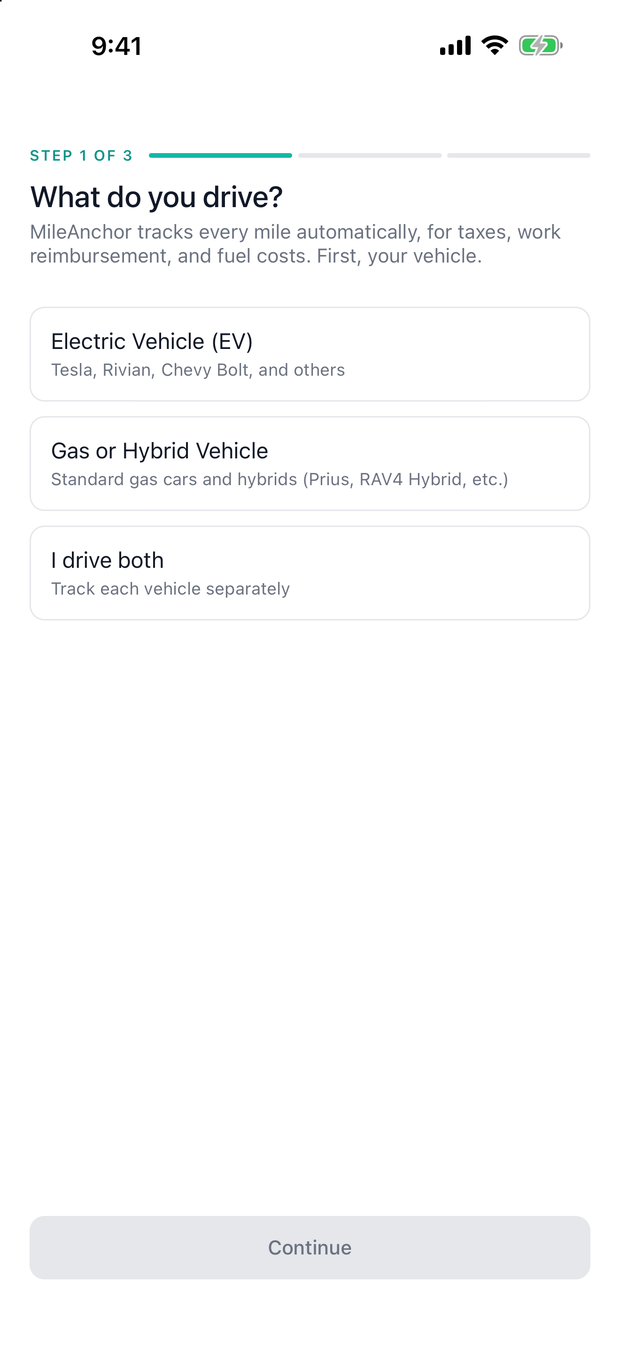
Tell it what you drive
Electric, gas, or both. This is what lets the app work out what each drive actually cost you to run.
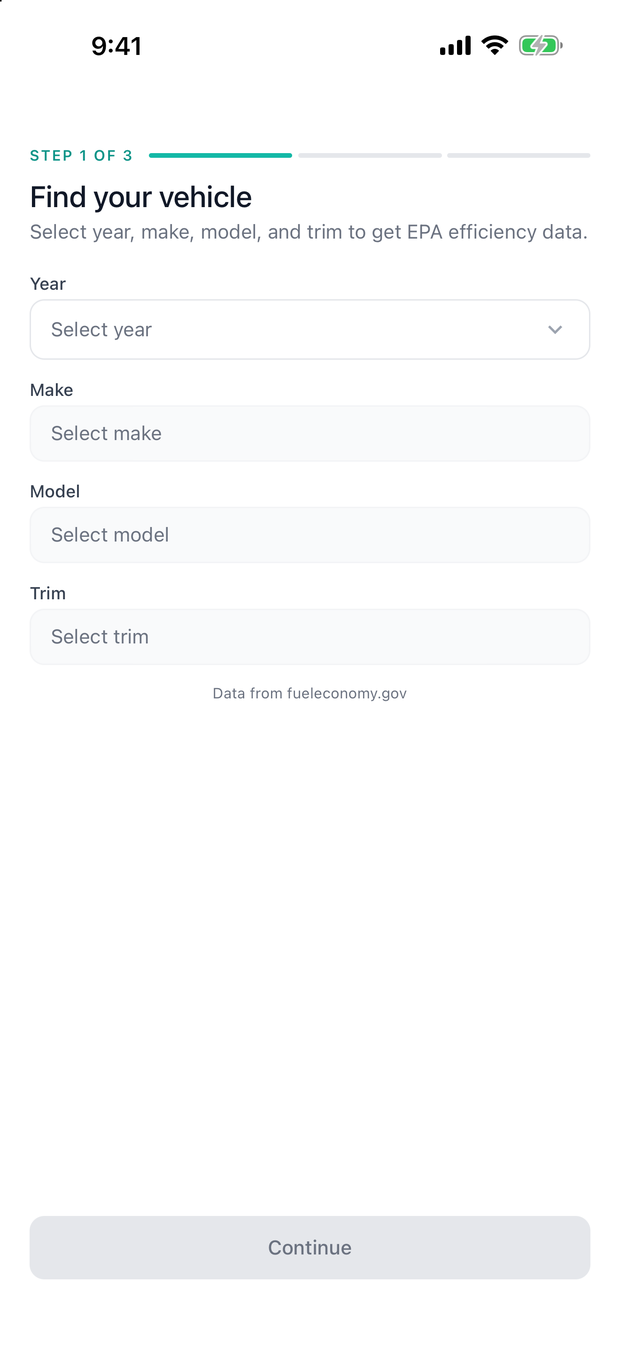
Find your car
Pick the year, make, model and trim and the EPA efficiency figure is filled in for you. No list? Type it in by hand instead.
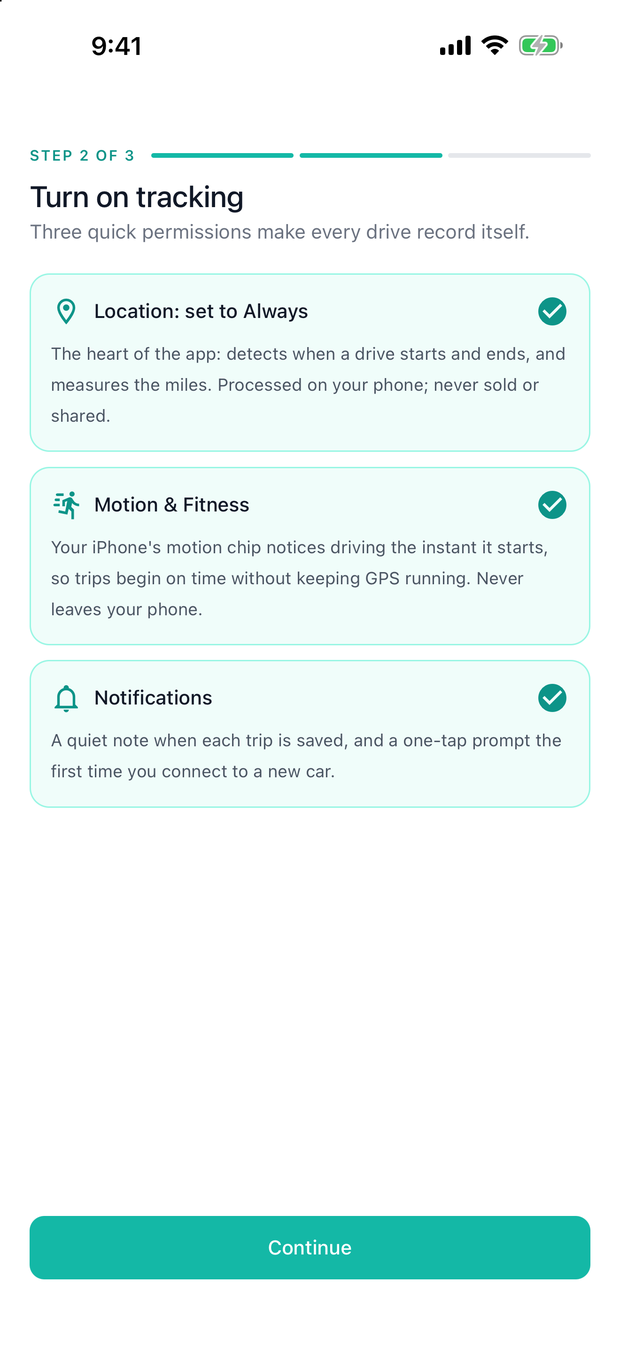
Turn on tracking
Choose Always for location. That is the one that lets drives record while the app is closed, which is the whole point.
Then, on your first drive
- Just drive. The trip records itself and appears in your log when you park. There is no button to press.
- Give it a purpose. Tap the trip and choose one. The app learns your regular routes and starts suggesting.
- Register your car's Bluetooth in Settings if it has it. It is the strongest signal a drive has begun, and it makes the app confident about which car you were in.
- Add an odometer reading when you think of it. It is what lets a report prove the log matches your dashboard.
See it in action
The real app, tracking a demo log.
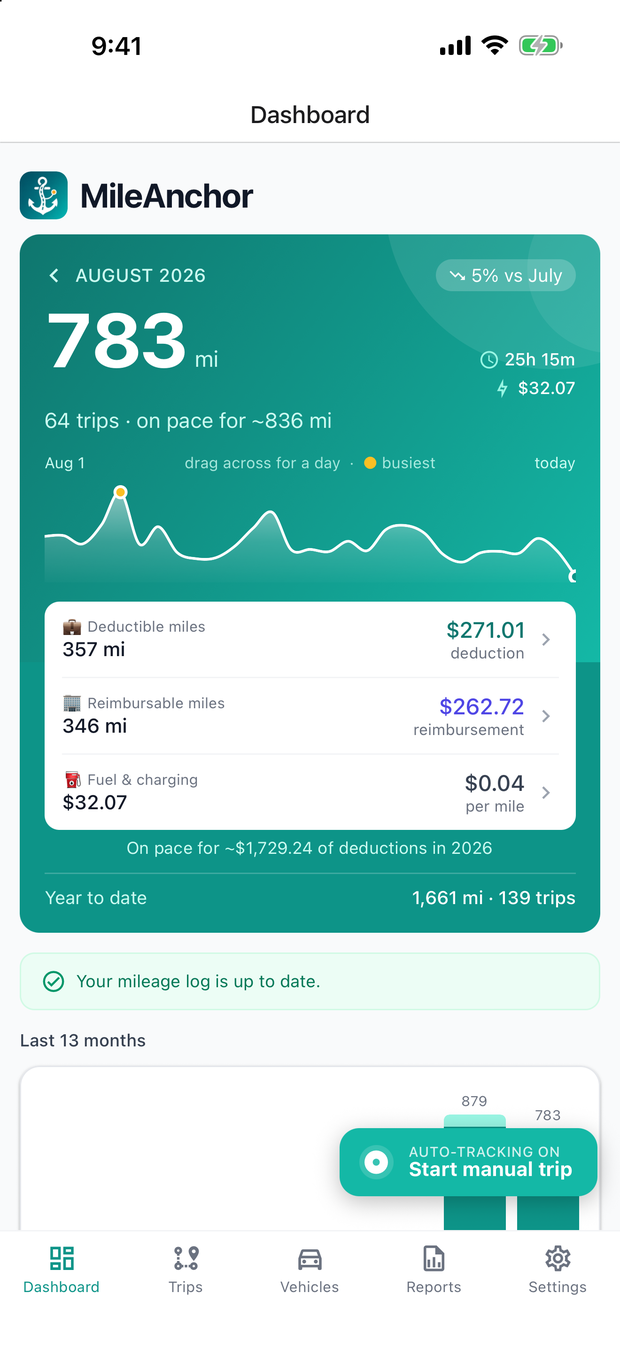
Your month at a glance — miles, deduction, and pace for the year.
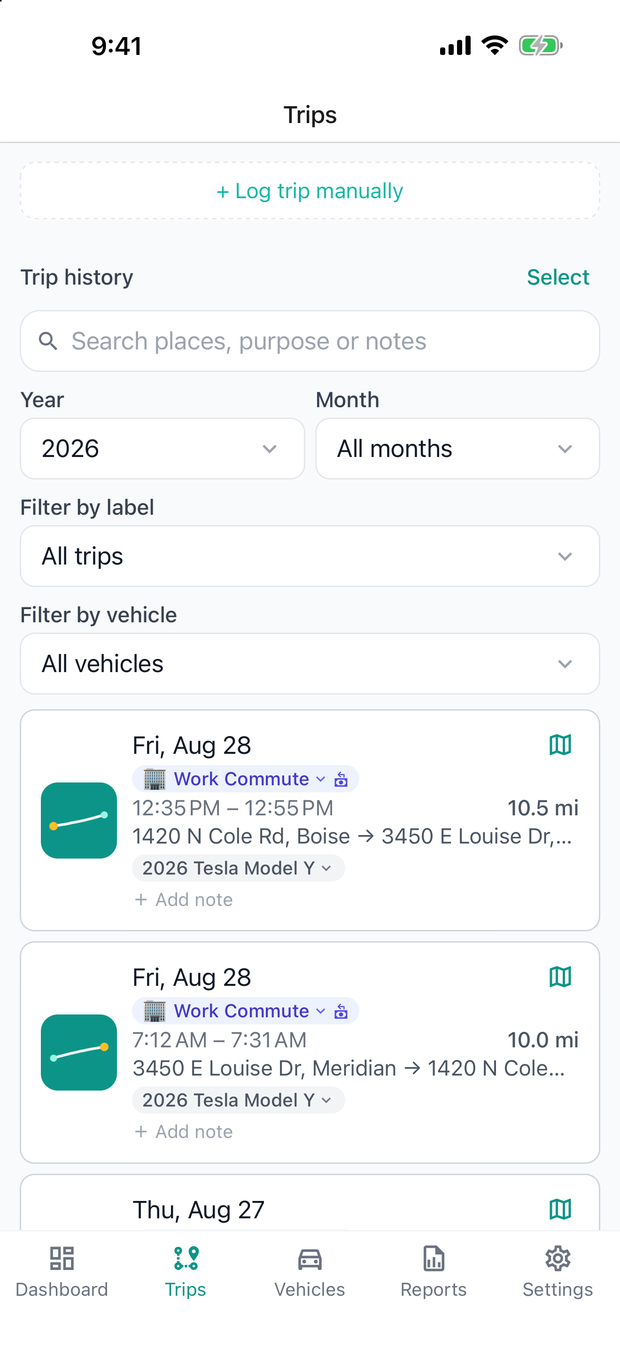
Every drive logged with its route, purpose, vehicle, and note.
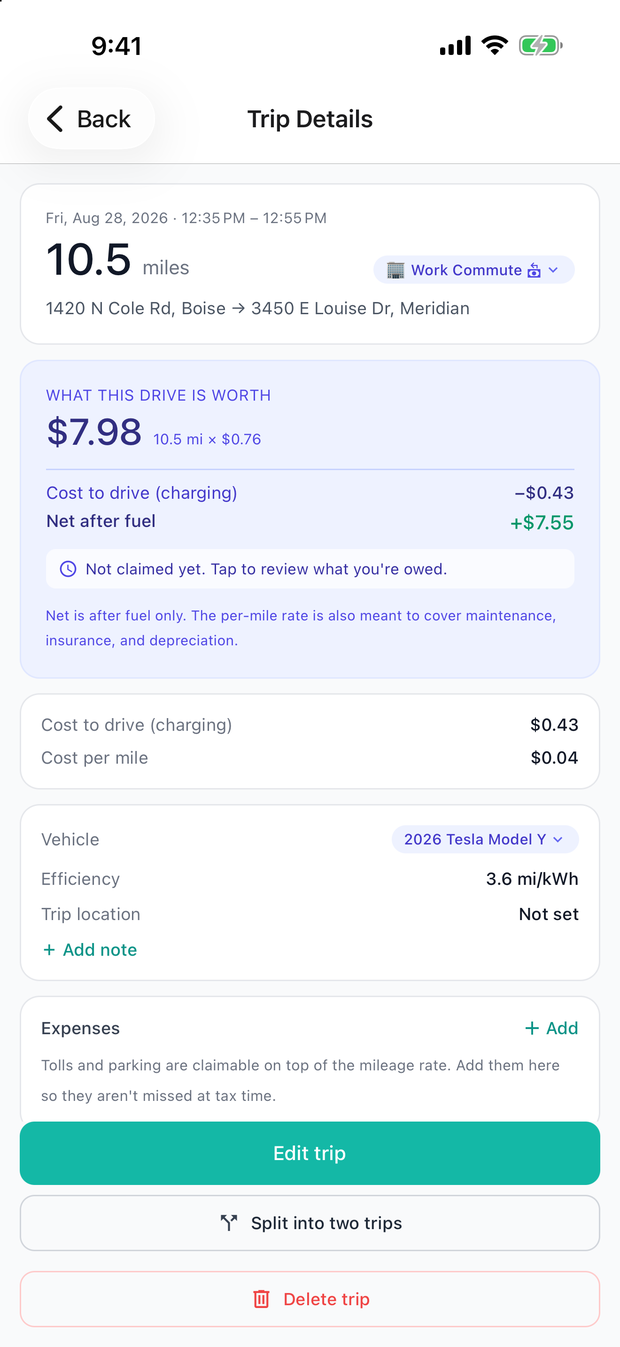
Open any trip to see what the drive is worth, and what it cost to run.
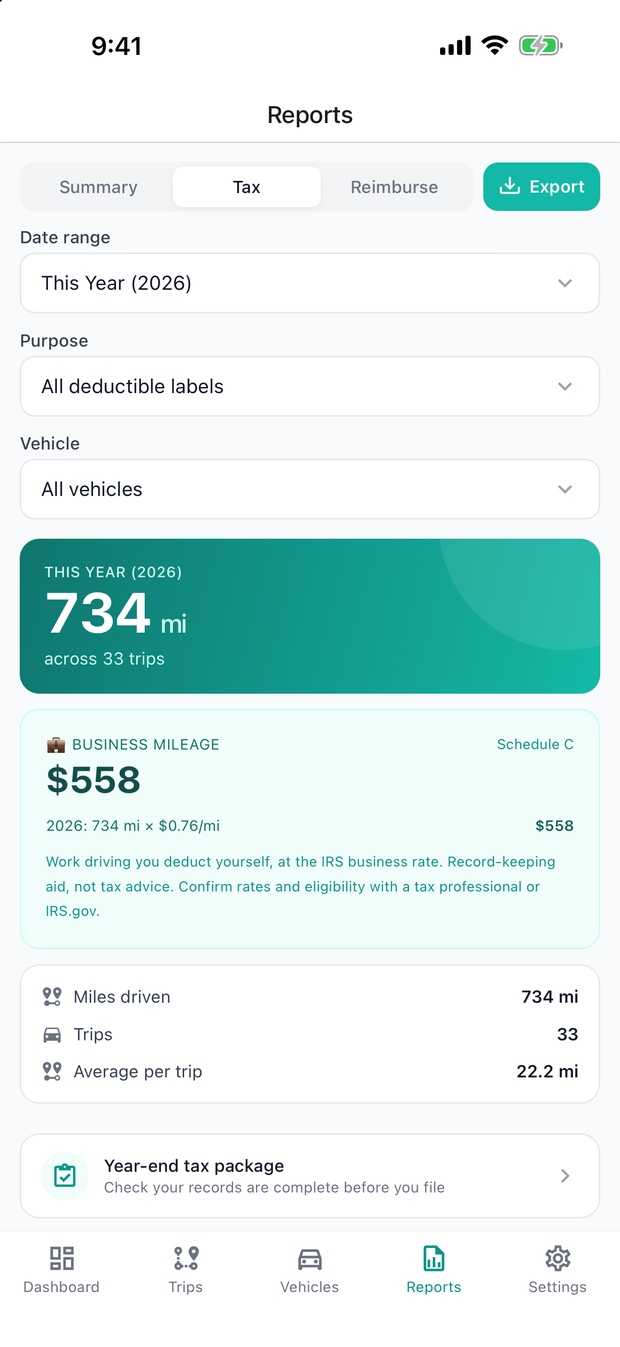
Tax reports at official IRS rates — mid-year changes handled.
Your data is yours. Full stop.
Read exactly what the app does (and doesn't do) with your information in our plain-English Privacy Policy.